When people talk about Local AI infrastructure, most of the attention goes to the GPU — but there's an equally important layer that often gets overlooked: where the data actually lives. An AI model needs to load tens of gigabytes of parameters every time it starts up, a vector database needs constant read/write access whenever the AI assistant looks up internal knowledge, and all of that data has to stay safe and never leave the business. The storage architecture chosen — DAS, NAS, or SAN — directly determines both the system's response speed and its safety.
DAS (Direct-Attached Storage) is the simplest form: a hard drive or SSD attached directly to one server, just like the drive inside an ordinary computer. Its advantages are high speed and low latency since there's no network in the way, plus low cost and easy setup — a good fit for a Pilot phase or a system running on a single server. The downside is that the data is "locked" inside that one server: if it fails, the data on it can't automatically be handed over to another machine to take its place.
NAS (Network-Attached Storage) puts data on a shared storage device accessed over the network at the file level — essentially a shared network drive that multiple servers can read and write to. NAS is well suited for internal documents, training files, or data that doesn't demand extreme speed, since file-level access adds some latency compared to a directly attached drive. With the very heavy, continuous read/write load of an AI model or a vector database, NAS can become a bottleneck if several servers access it at once.
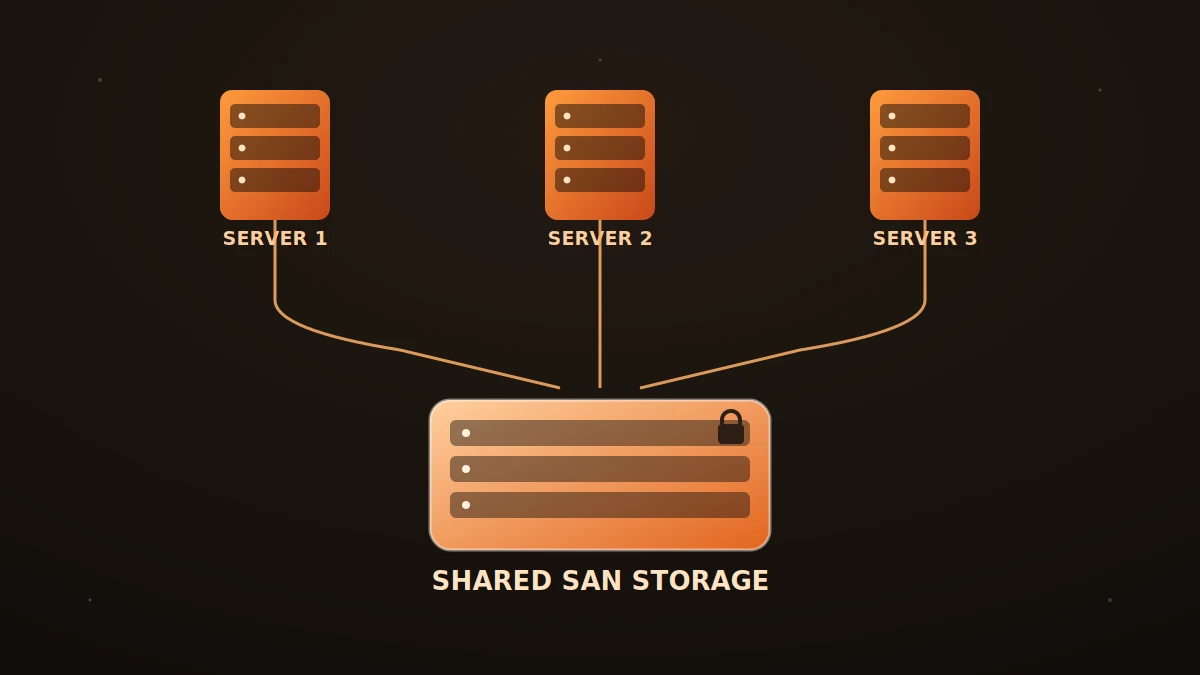
SAN (Storage Area Network) is built to solve exactly that limitation. It's a dedicated, high-speed storage network that lets multiple servers connect and read/write data at the block level — nearly as fast as a directly attached drive, but centralized and shareable across many machines at once. This is why several Local AI servers can share a single SAN system: the primary and the standby backup server both see the same data in real time through the SAN, so when the primary fails, the backup doesn't need to wait for a fresh sync — the data is already there, making failover far faster and safer.
For most businesses, the practical choice isn't picking just one type but combining them: DAS for the Pilot phase or tasks that need maximum speed on a single machine, NAS for shared data that isn't latency-sensitive, and SAN as the central storage layer once the system scales to multiple servers that need to back each other up. DABO advises on and configures the right storage architecture for each business's actual scale — keeping data on-site, protected, and fast enough for the AI assistant to respond instantly, without customers having to learn the differences between storage technologies themselves.